
App Migration Overview #
XpressBot has introduced a new app to improve reliability and provide real-time message notifications. Users must migrate to the new app for continued access to push notifications and updates.
| Feature / Info | Old App (Deprecated) | New XpressBot Notification App |
|---|---|---|
| Status | ❌ Being phased out | ✅ Actively supported |
| Incoming Message Notifications | 🚫 Not supported | ✅ Real-time push notifications |
| Order Notifications | 🚫 Not available | ✅ Enabled via webhook |
| Support Inbox Notifications | 🚫 Not available | ✅ Integrated |
| Webhook Support | 🚫 No webhook integration | ✅ Unique webhook URL per user |
| User Role Support (Admin/Team) | 🚫 Not applicable | ✅ Role-based masking & control |
| Availability | 📢 Discontinued | 📥 Play Store |
How to Get Started #
Step 1: Enable App Access #
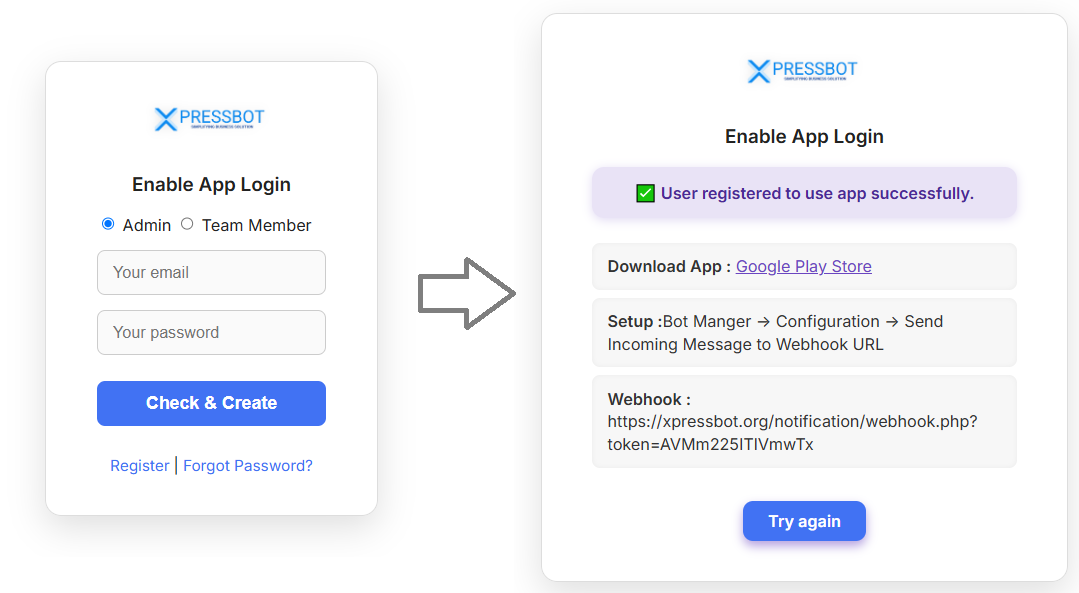
If you already use XpressBot, app are not enabled by default.
- Update or install the XpressBot app from the Google Play Store:
- Admin:
- Receives full message content, including customer phone numbers. 📥 Play Store
- Team Member:
- Receives masked phone numbers for privacy. 📥 Play Store
- After registration, each user will be provided a unique Webhook URL to receive notifications on their mobile device. You can use eithr your team member webhook URL or admin URL.
Step 2: Setup Webhook for Incoming Messages #
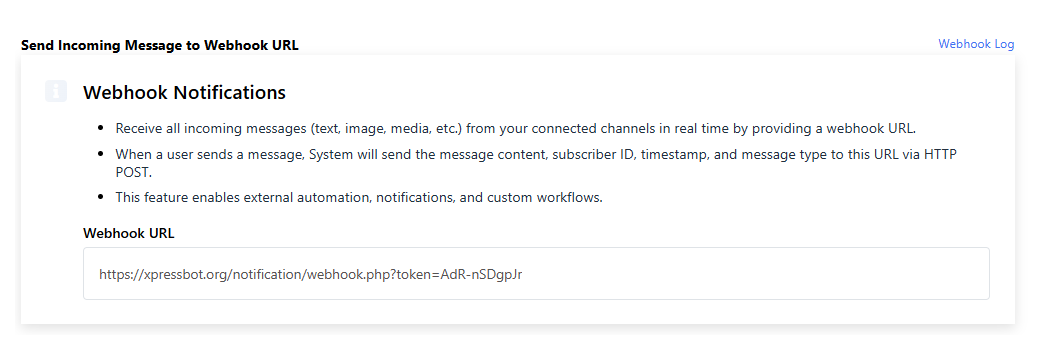
- Go to Connect Account → Bot Manager → Configuration
- Locate the field labeled Send Incoming Message to Webhook URL
- Paste the Webhook URL you received during registration
- Save the configuration, you will begin receiving notification in your app.
Step 3: Setup Webhook for Catalog Orders (Optional) #
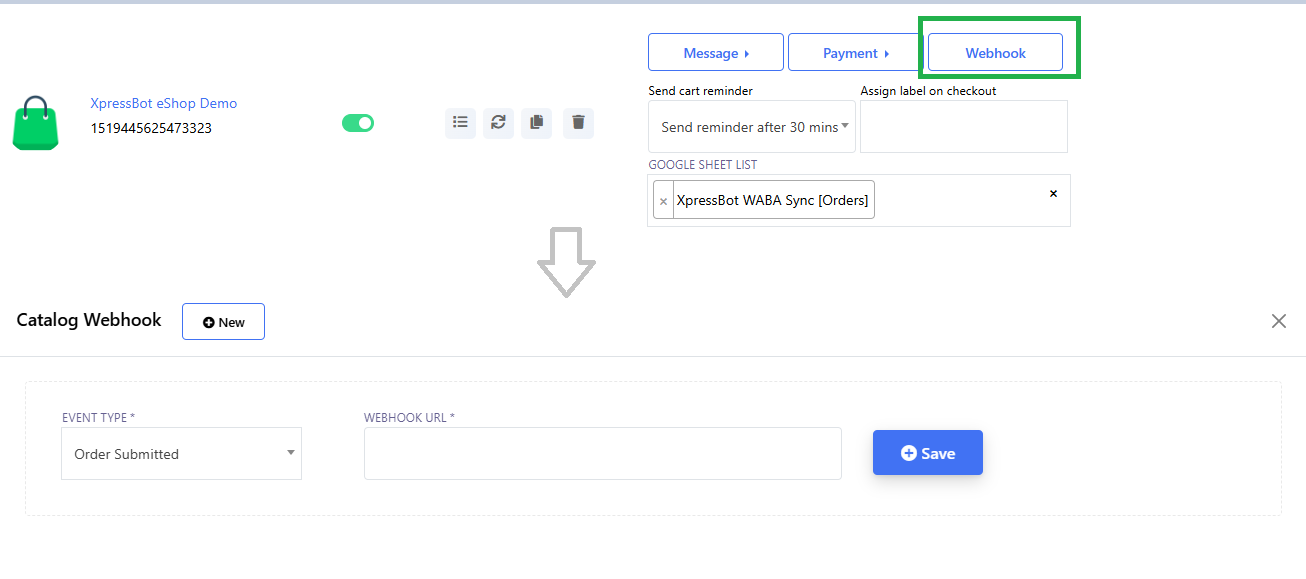
If you use WhatsApp’s product catalog and want to receive order alerts:
- Go to eCommerce Catalog → Webhook → New → Event Type Order Submit
- Paste the Webhook URL you received during registration
- Save the event type, you will begin receiving notification in your app.
Additional Notes #
- Each webhook is tied to a specific user and device.
- When the admin Webhooks URL is added, only the admin receives notifications.
- When a team member Webhooks URL is added, both the team member and the admin receive notifications.
- Only team members will receive masked numbers for privacy compliance.
- Admins get full visibility for order and customer support management.