
How to Track SMS Delivery and Performance in XpressBot
XpressBot enables you to run SMS broadcasting campaigns by integrating with popular SMS APIs such as Twilio, Eshaal, and others. Monitoring delivery status and performance metrics is essential to evaluate the success of your communication strategy.
This guide walks you through the process of viewing SMS delivery statistics and detailed campaign reports within XpressBot.
Step 1: Navigate to the Broadcasting Section
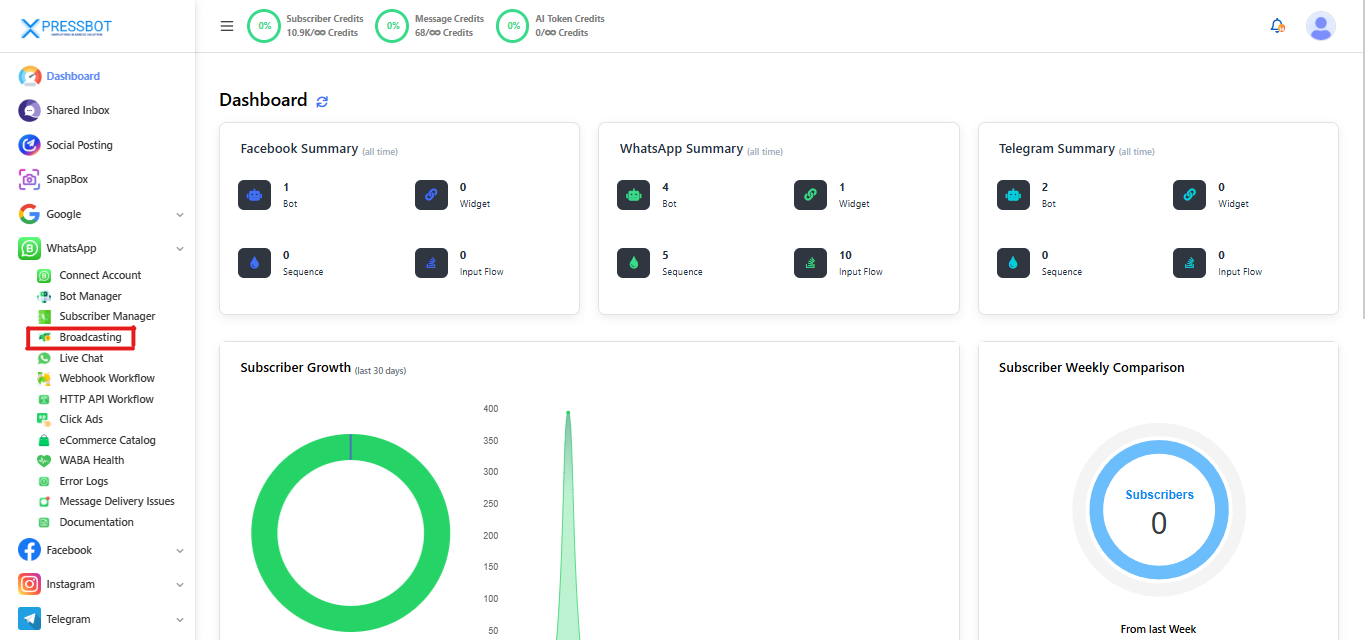
From your XpressBot Dashboard, access the left sidebar menu.
Under the Broadcasting section, click on SMS Broadcast.
This section includes options for:
- WhatsApp Broadcast
- SMS Broadcast
- Facebook Broadcast
- Telegram Broadcast
Step 2: Locate the SMS Broadcasting Panel
Scroll down below the WhatsApp Broadcasting table to find the dedicated panel labeled SMS Broadcasting.
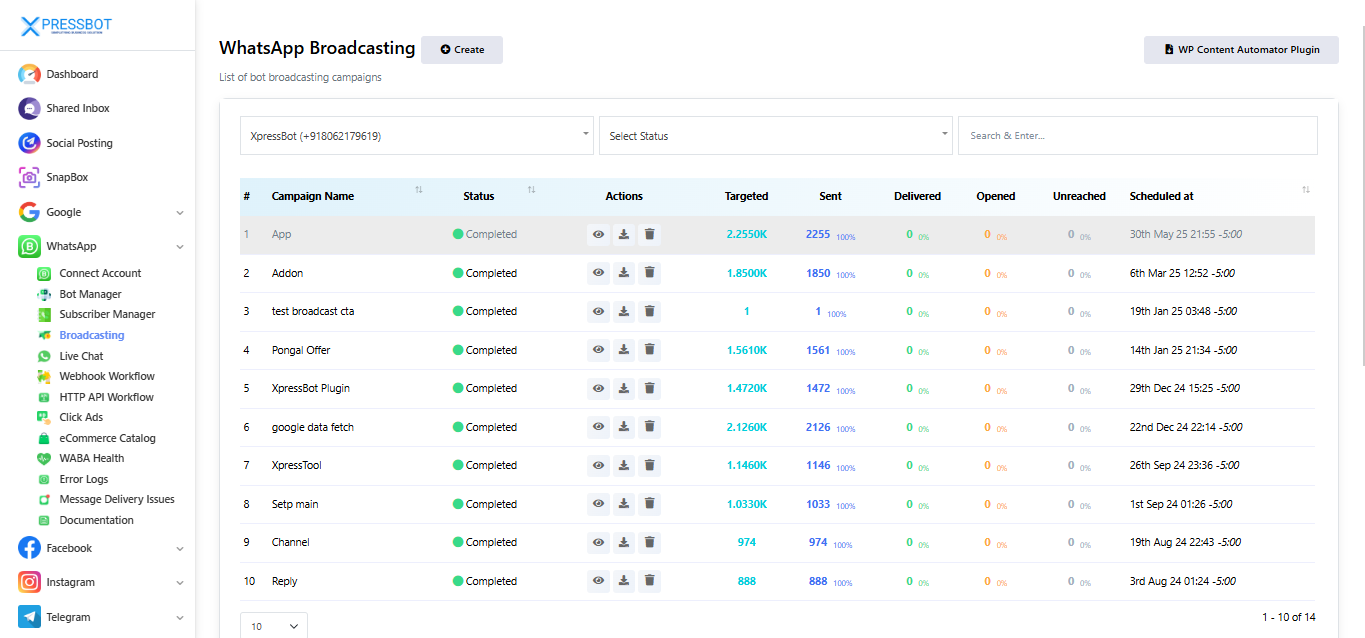
In this section, you’ll find a list of all your SMS campaigns, displaying key details such as:
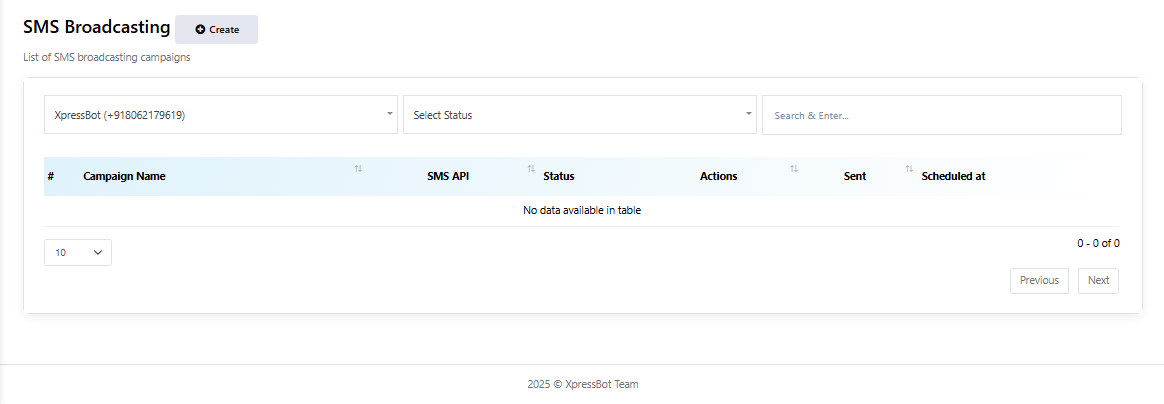
- Campaign Name
- SMS API Used
- Status (e.g., Completed, In Progress)
- Actions (e.g., View Report, Delete Campaign)
- Total SMS Sent
- Scheduled Time
Step 3: Access and Analyze SMS Campaign Reports
To review how your SMS campaign performed:
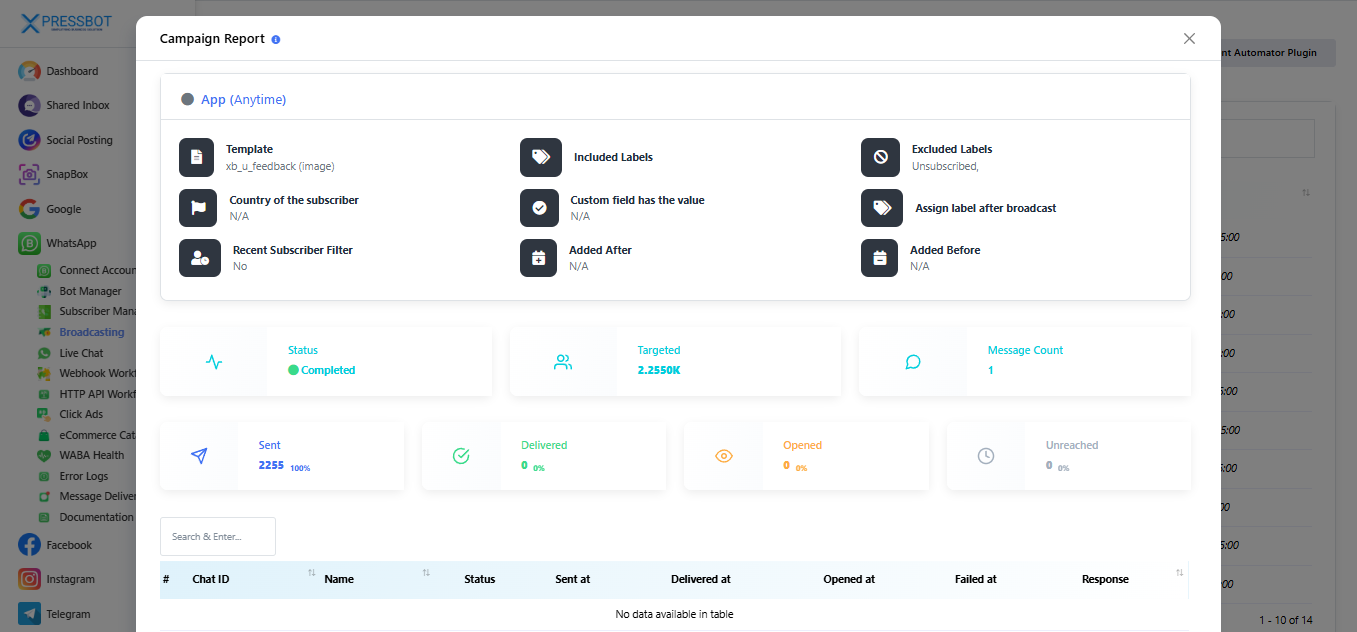
Select the View Report option (represented by the icon) in the Actions column next to the campaign you want to analyze.
This opens a Campaign Report window with detailed insights, including:
- Current Status of the campaign (e.g., Completed)
- Number of Targeted Recipients
- SMS API Provider used
- Total Messages Sent
- Recipient Chat IDs
- Recipient Names
- Timestamp of Message Sent
- User Response (if any)
These metrics help you determine:
- If the messages were successfully dispatched
- Who received them and when
- Whether recipients responded
This report is essential for tracking engagement and improving future campaigns.
Step 4: Remove Unnecessary SMS Campaigns
To clean up old or test campaigns from your SMS Broadcasting list:
- Click the trash icon located beside the campaign you wish to remove.
- A confirmation prompt will appear—confirm the deletion to proceed.
Important: Deleting a campaign will permanently erase all related reports and delivery data from XpressBot. Make sure to download or review the report before deletion, if needed.
Conclusion
Tracking SMS delivery and campaign performance in XpressBot is essential for optimizing your communication strategy. By leveraging built-in tools like detailed campaign reports, delivery status insights, and easy campaign management, you can monitor effectiveness, identify issues, and improve future outreach. Regularly reviewing this data ensures that your SMS broadcasts remain reliable, targeted, and impactful.