
How to Add and Set a Default Payment Method for WhatsApp Business in Facebook Business Manager
Managing your business efficiently starts with seamless payments. When running WhatsApp campaigns or scaling your marketing efforts through Facebook Business Manager, setting a default payment method ensures everything runs without interruptions.
This Xpressbot guide walks you through the exact steps simple, clear, and quick.
Why Setting a Default Payment Method is Important
Before getting started, here’s why this matters:
- No Campaign Interruptions
Avoid pauses due to failed or missing payments. - Better Expense Management
Keep all business transactions organized in one place. - Faster Workflow
Save time by eliminating repeated payment entries.
Step-by-Step Guide
Step 1: Open Facebook Business Manager
Go to Facebook Business Manager and log in to the correct business account where your WhatsApp Business activities are managed.
Step 2: Navigate to Settings
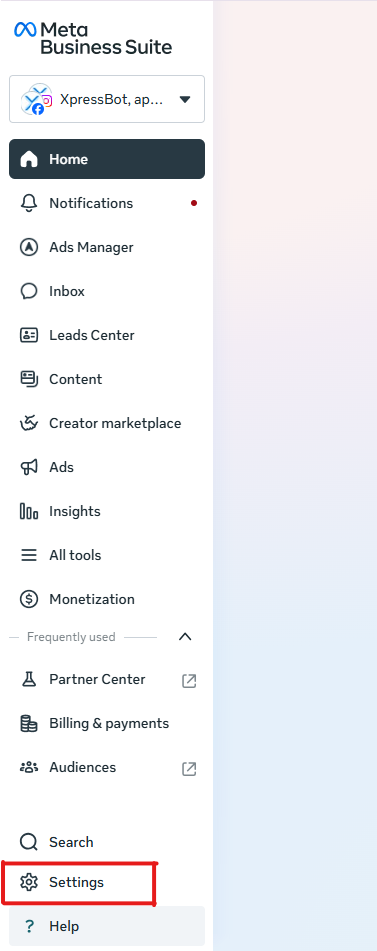
- Locate Settings on the left-hand menu
- Click to open your business settings dashboard
Step 3: Access Billing & Payments
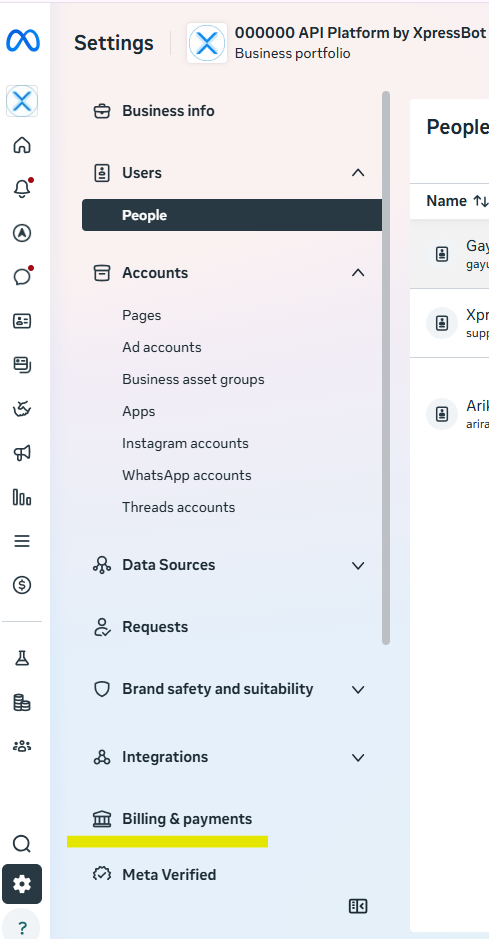
- Inside Settings, go to Billing & Payments
- This section stores all your billing details and payment options
Step 4: Open Payment Methods
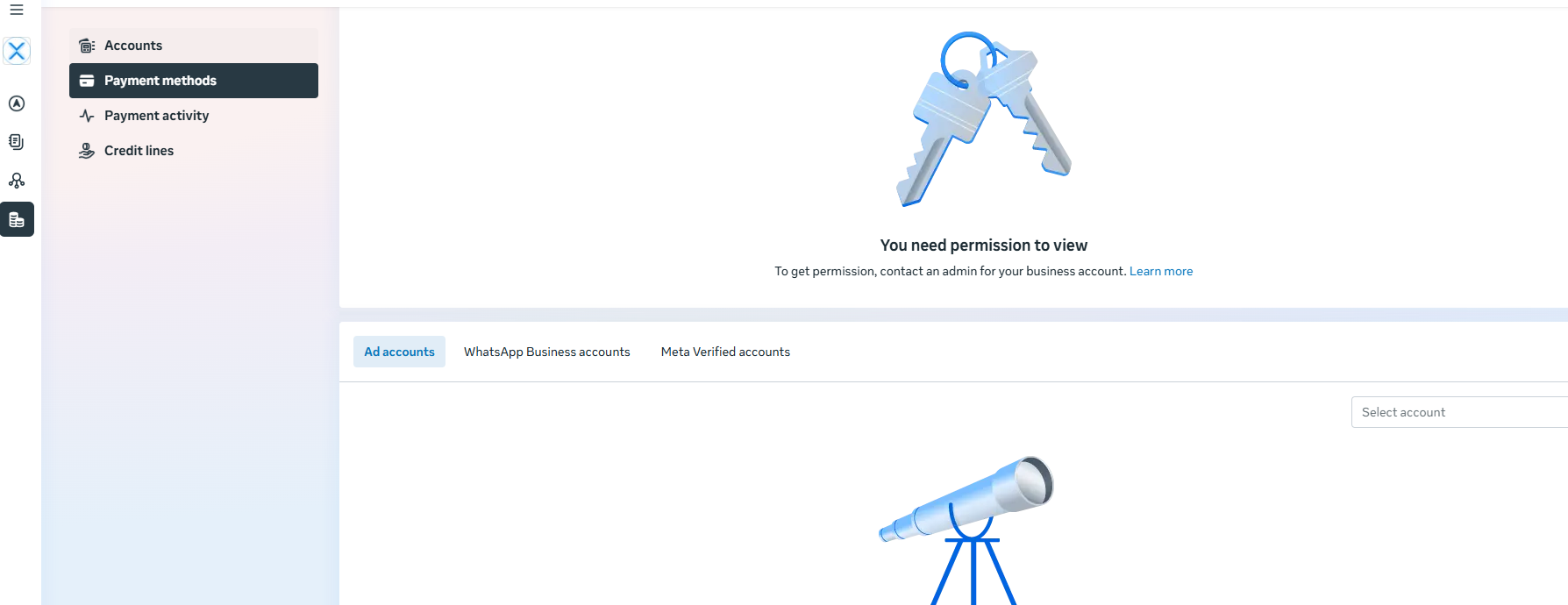
- Click on Payment Methods
- Here, you can view and manage all available payment options
Step 5: Select WhatsApp Business Account
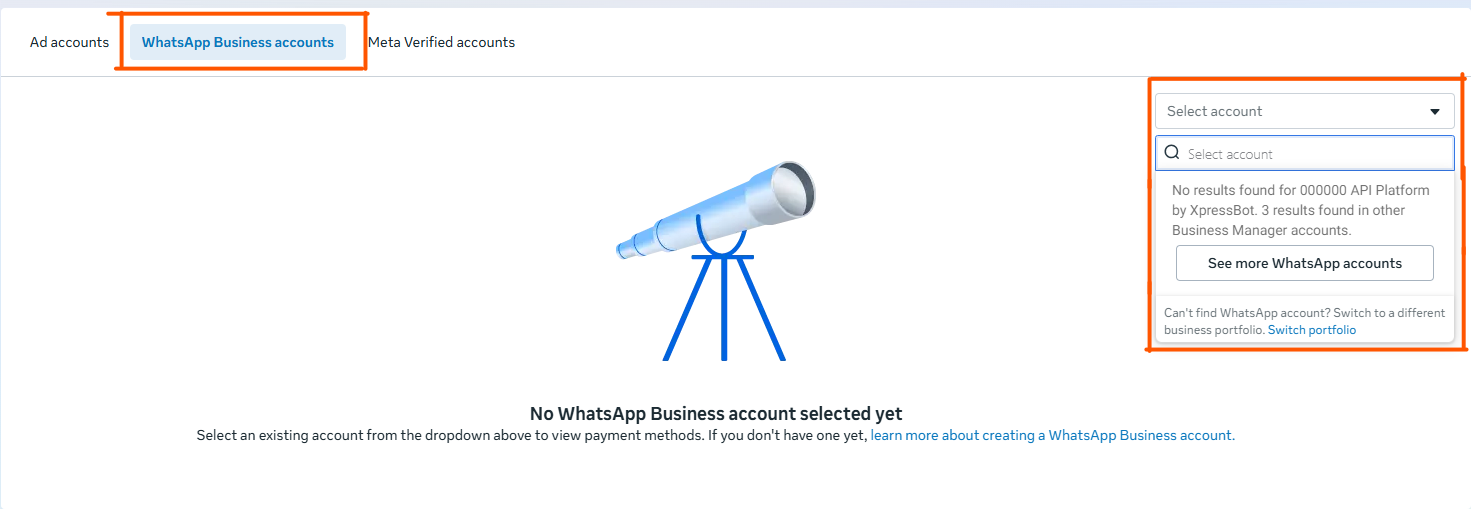
- At the top, choose the WhatsApp Business Account tab
- This ensures the payment method applies specifically to WhatsApp services
Step 6: Choose the Correct Account
- If you manage multiple accounts, use the dropdown
- Select the correct WhatsApp Business account
Step 7: Add Your Credit Card
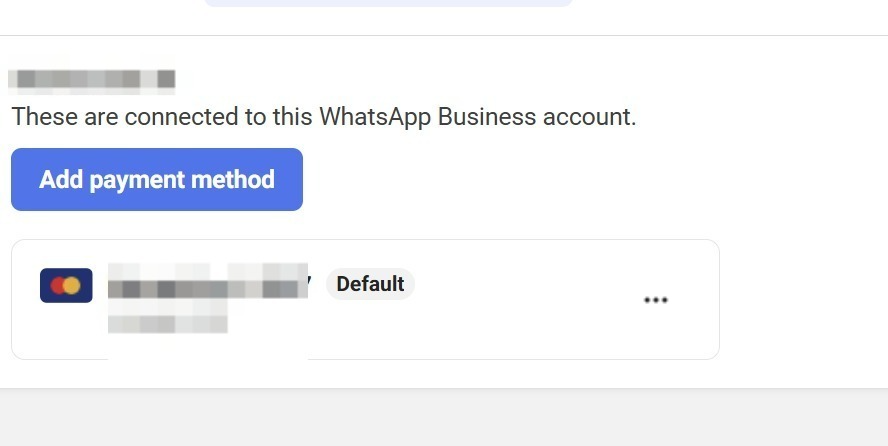
- Click Add Payment Method
- Enter your credit card details carefully
- Save to complete the process
Step 8: Set as Default Payment Method
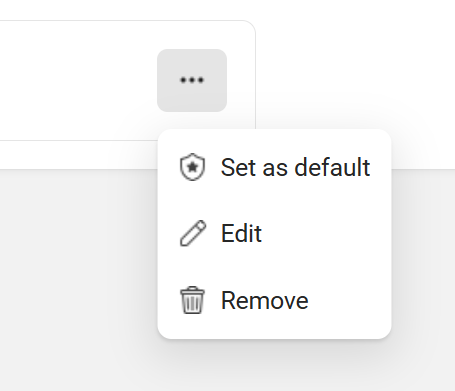
- Click the three dots (⋯) next to your card
- Select Mark as Default
That’s it you’re all set! 🎉
Final Thoughts
Setting up a default payment method in Facebook Business Manager for your WhatsApp Business account is a small but powerful step. It ensures smooth campaign execution, faster billing, and uninterrupted growth.
To take your business even further, explore automation and scaling tools with Xpressbot designed to simplify customer engagement and boost performance.