
XpressBot Configuration Settings
Welcome to the XpressBot Configuration panel! This section lets you control key behaviors of your bot, from human handover and chat replies to email/SMS sync and business hours. Let’s break it down step-by-step:
🔁 General Settings #
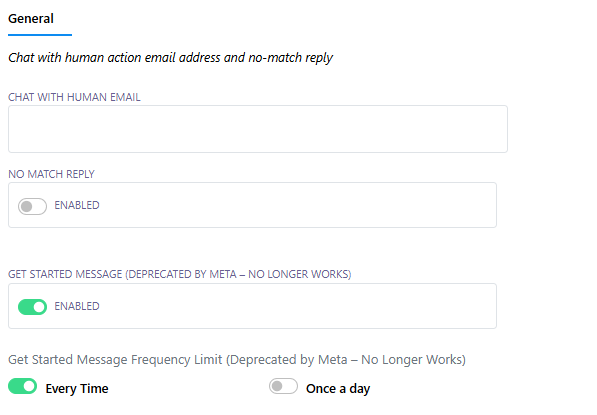
1. Chat With Human Settings #
- Email Address for Human Handover: Define where conversations should be sent when users request human assistance.
- No Match Reply: Enable a fallback response when the bot can’t understand or match a user query.
2. Get Started Message (Deprecated by Meta) #
- Option to trigger the Get Started message every time or once per day.
🕒 Business Hour Settings #
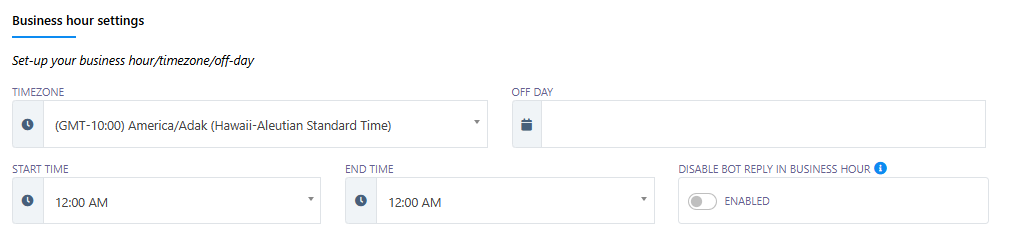
Customize when your bot is active or paused.
- Timezone: Set your local time zone for accurate scheduling.
- Off Days: Select weekly off-days (e.g., Sunday, Saturday).
- Start & End Time: Set the active hours of your business.
- Disable Bot Reply During Business Hours: Enable this if you’d prefer human interactions during working hours.
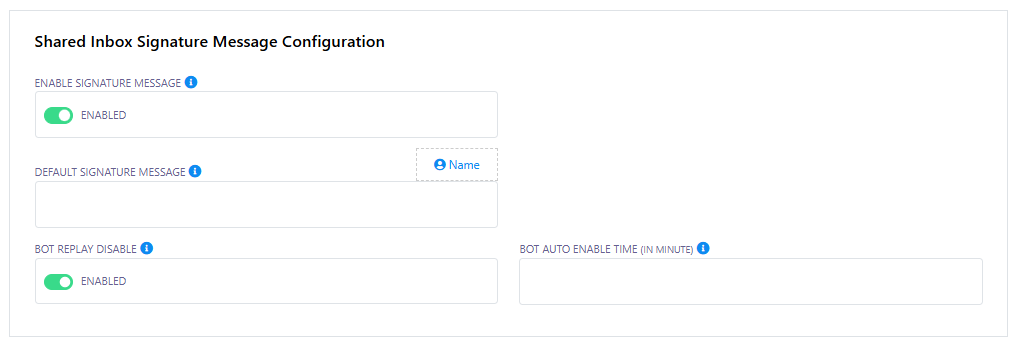
✉️ Shared Inbox Signature Message #
- Enable Signature Message: Add a default signature to all replies from your shared inbox.
⏳ Session Expiry Configurations #
- Input Flow Session Expiry: Define how long (in minutes) an input flow session remains active.
- Chat With Human Session Expiry: Set how long a handover-to-human session should last.
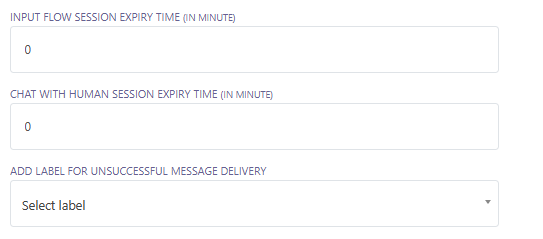
🏷️ Labels for Failed Messages #
- Add Label on Unsuccessful Message Delivery: Easily track failed messages by assigning them a custom label.
🔗 Integration & API Logs #
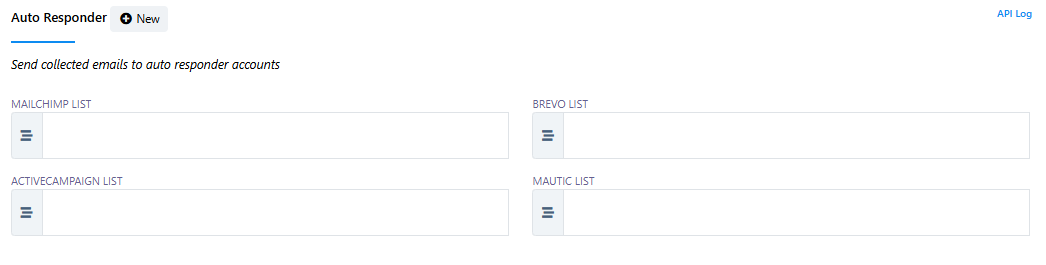
📧 Auto Responder Email Sync #
Send collected user emails to your preferred email marketing tool:
- Mailchimp List
- Brevo List
- ActiveCampaign List
- Mautic List
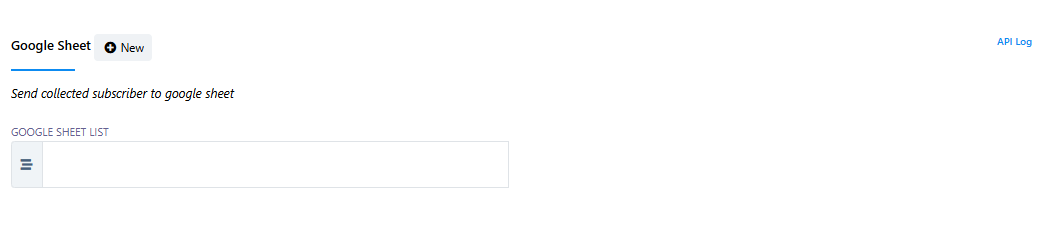
📄 Google Sheets Sync #
Automatically send subscriber data to Google Sheets:
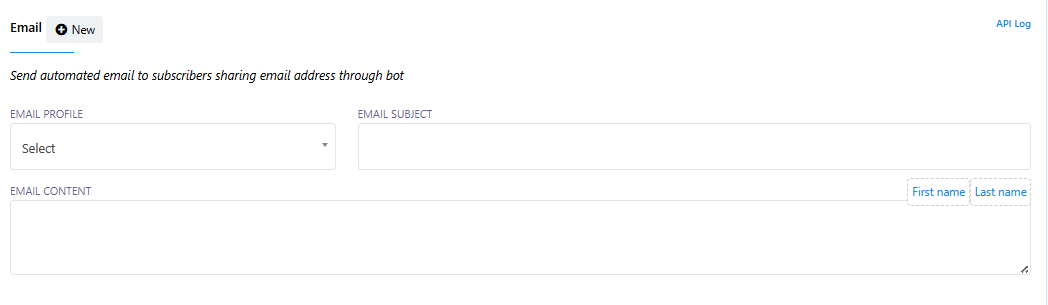
📬 Email API #
Send automated emails to users who share their email during conversations.
- Select Email Profile
- Customize Subject & Content (Supports dynamic fields like
First name,Last name)
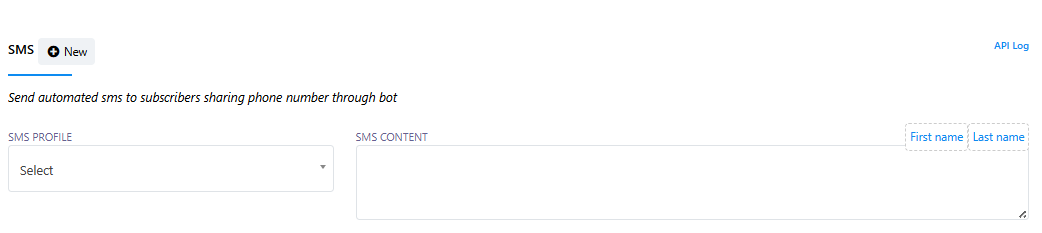
📱 SMS API #
Trigger SMS notifications to users who provide a phone number:
- Select SMS Profile
- Customize SMS Content (Supports dynamic fields)
✅ Wrapping Up #
These configuration options help you personalize your bot’s behavior, automate outreach via email/SMS, and sync data effortlessly with your tools. Whether you’re setting up business hours, handing chats over to humans, or syncing with Mailchimp—XpressBot makes it seamless.
Need help setting this up? Just reach out!