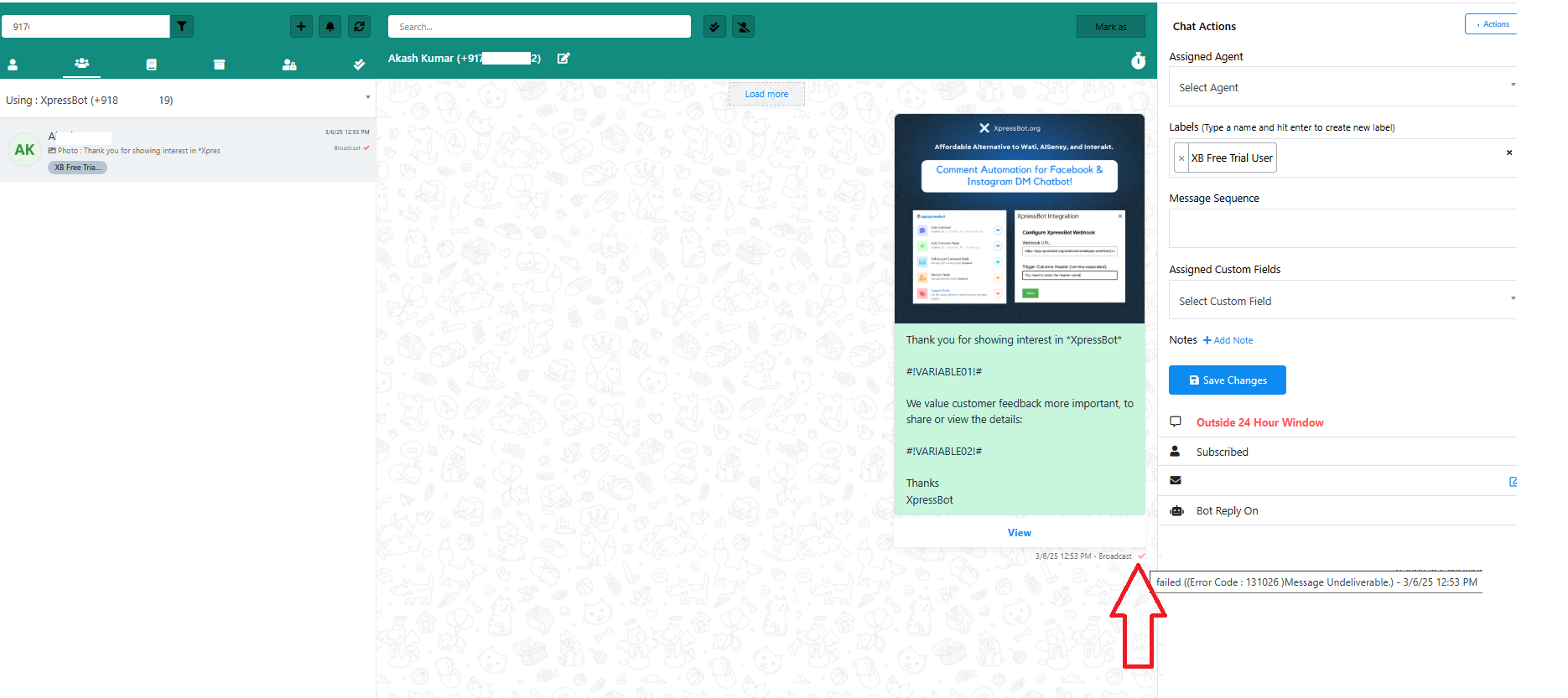
Why Messages May Not Be Sent or Received in Live Chat: Common Issues & How to Fix Them
If you’re facing issues with messages not being sent or received in your live chat system, you’re not alone. There are several common reasons why this might happen. Here’s a quick guide to help you troubleshoot and resolve these issues effectively.
1. Payment Method Not Added in WhatsApp Manager #
Ensure that a valid payment method is added to your WhatsApp Business Account via WhatsApp Manager. Without this, message delivery may be restricted.
2. Meta blocked or disabled your Business Number #
If your WhatsApp Business account has been disabled, it could be due to inconsistencies or inaccuracies in your Meta Business Manager profile. Meta takes compliance seriously, and even small discrepancies can lead to issues. Here are the most common reasons for account disabling and steps to resolve them.
More details : https://xpressbot.org/docs/waba-disabled/
3. Insufficient Message Credits in XpressBot #
Check if your message credits are available in your XpressBot account. If you’re out of credits, messages will not be processed or delivered.
4. 24-Hour Session Rule #
WhatsApp applies a 24-hour messaging window. If a user hasn’t replied within 24 hours, you can’t send regular messages until they engage again. Use message templates to reinitiate conversations beyond this window.
5. Incomplete Bot Reply Setup #
If your automated bot reply is not completed properly, it can cause message delivery issues. Some common mistakes include:
- Missing buttons or call-to-action (CTA) .
- Not ending the user input flow with a “Thank You” message or clear exit point.
- Using buttons with more than 20 characters or content in unsupported languages.
Make sure the bot reply is structured properly to ensure a smooth conversation.
6. Webhook Connectivity Disabled #
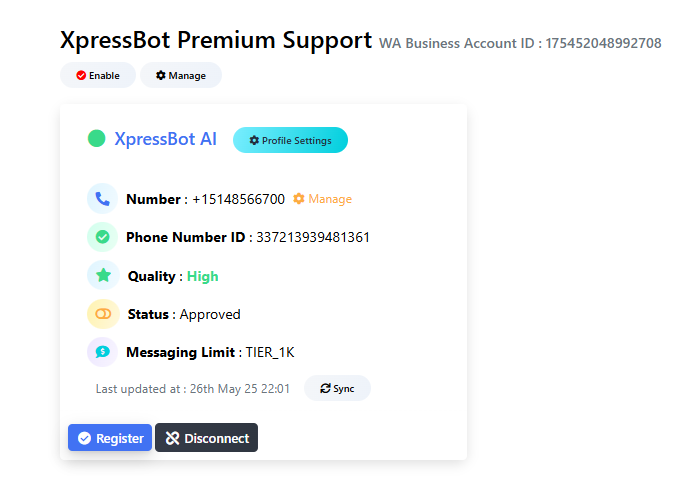
If your account appears like the below the image , you will not be able to send or receive messages. This typically happens when your subscription has not been renewed within the grace period, and you have not re-subscribed after expiry. As a result, webhook connectivity is automatically disabled by the system to prevent further processing.
7. Bot Reply Paused #
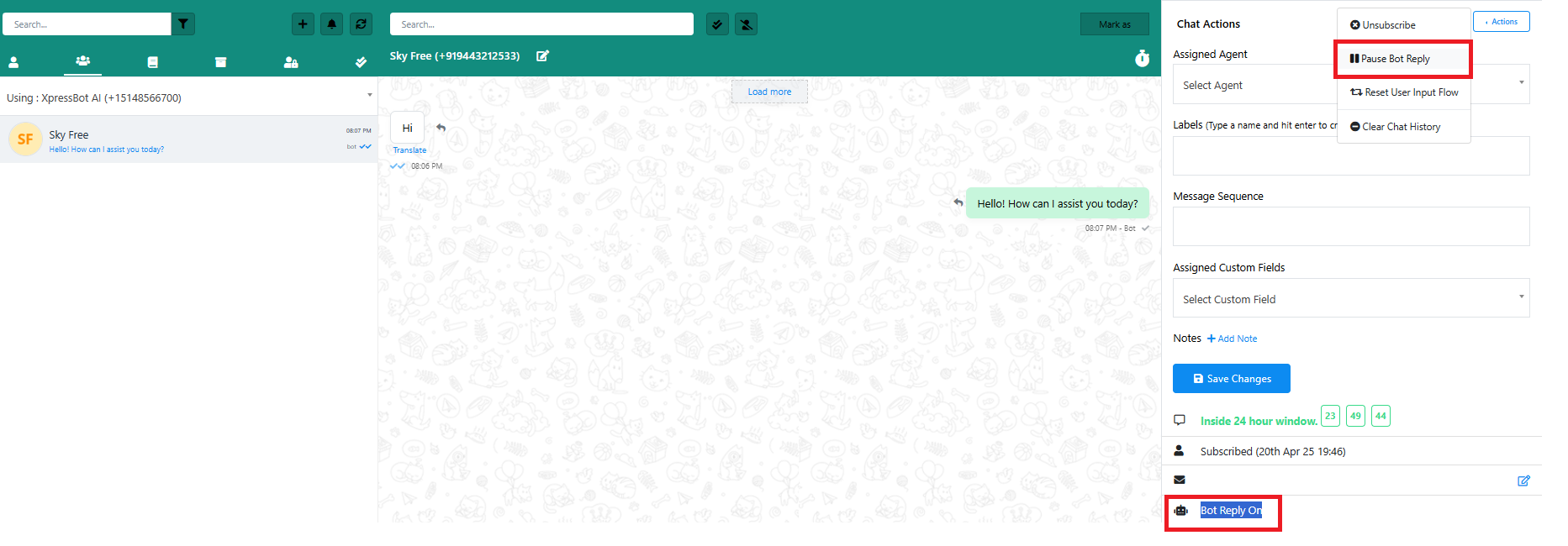
You might have paused the bot reply unintentionally. To verify this:
- Go to your Live Chat panel.
- If you see an option to “Resume Bot Reply,” it means the bot reply is currently paused.
- Click it to resume automated responses.
Check error logs #
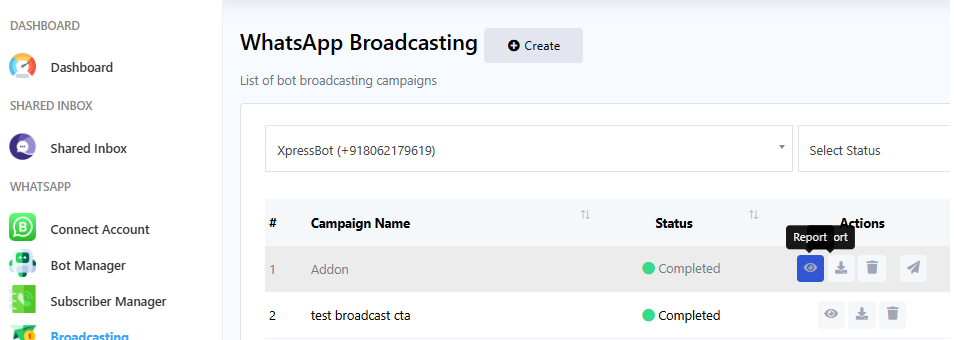
Broadcast: #
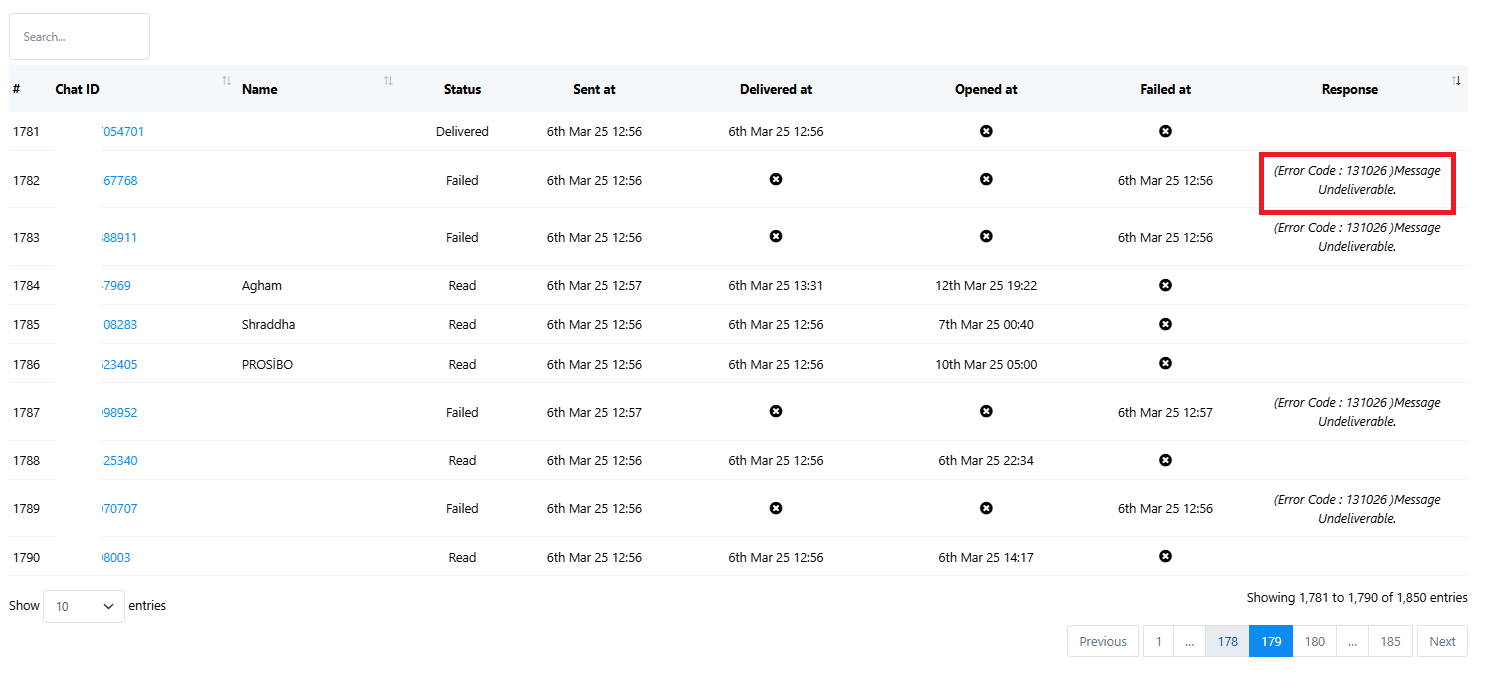
Go to Broadcast-> Click eye icon of any campaign -> View the error message
Bot Reply #
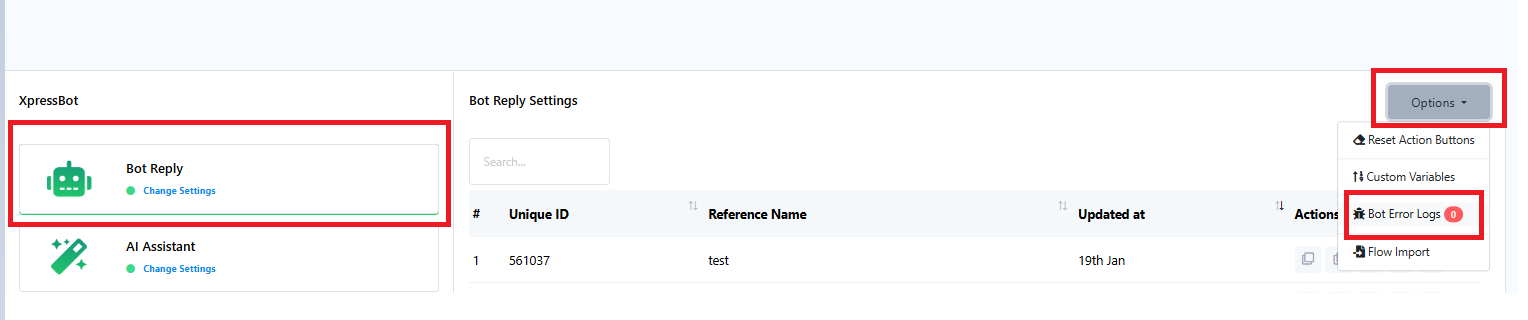
Go to Bot Manger-> Bot reply
Live Chat #